Monte Carlo
Download Workbook with Instructions
Read about Simple Monte Carlo Simulation
Read about Optimization using Quantum XL
Define Multiple Inputs Simultaneously
Monte Carlo Simulations
Define your inputs and outputs using Excel formulas and run fast Monte Carlo Simulations - up to 2 million simulations in one second when running in Rocket Mode. For most models, Quantum XL will run in Rocket Mode, enabling blazing fast simulations. If the model cannot be run in Rocket Mode, then Quantum XL will automatically switch to Native Mode.
Optimization
Quantum XL's optimizer will find the optimal set points for your design across multiple outputs and inputs. Optimization criteria can be a variety of statistics, including defects per million (dpm), Cp, Cpk, Mean, standard deviation, percentile, median, and more.
Distribution Support
Quantum XL supports custom discrete and continuous distributions as well as the Normal, Uniform, Triangular, Log-Normal, Logistic, LogLogistic, Gamma, 3 parameter Weibull, 2 parameter Exponential, Uniform Discrete, Poisson, Binary, and Binomial Distributions.
Input/Output Manager
A single window provides an overview of all inputs, outputs, and custom distributions. This simple interface allows large, complex models to be managed much more easily than by finding the cells in the worksheet.
Define Multiple Inputs/Outputs Simultaneously
Quantum XL makes creating models with many inputs and outputs fast and easy with the bulk input/output feature. Simply select an array of cells and click the "Mark Input" button.
Percent Contribution and Tolerance Allocation Tables
Understand to which of your inputs the model is most sensitive.
Latitude Plots
Quantum XL introduces Latitude plots to Monte Carlo simulation and analysis. Latitude plots provide a graphical representation of the variation being consumed by the inputs as compared to the latitude window.
Merge Design Sheets
Merge two or more legacy IPO sheets to create one larger model.
Surface, Contour, and Interaction Plots
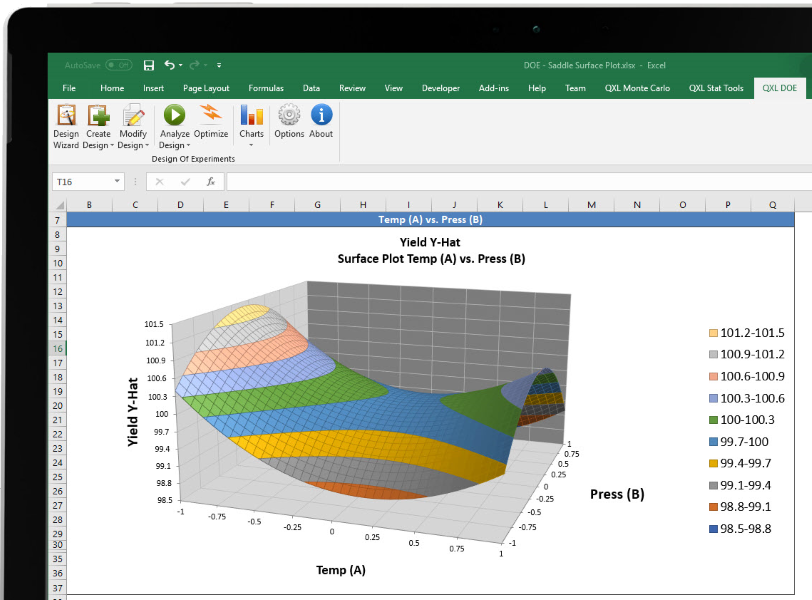
Create surface, contour, and interaction plots of the model's inputs vs. outputs to better understand the relationships.
Design Scorecard
Enter Part, Process, and Performance information to track the capability and maturity of your design. Create Paretos of defects per unit (dpu) to help allocate critical resources.
Sampling Matrices
Create Latin Hypercube Samples and Descriptive Samples for validation strategies. Ideal for efficient representative testing.
Nearly Orthogonal Latin Hypercube Sampling
Create NOLHS designs which are ideal for multi-level experiments with deterministic simulators.